> For the complete documentation index, see [llms.txt](https://dreamdolls.gitbook.io/help/llms.txt). Markdown versions of documentation pages are available by appending `.md` to page URLs; this page is available as [Markdown](https://dreamdolls.gitbook.io/help/get-started/quickstart.md).
# Quickstart
Create your account, pick a companion and start your first chat.
DreamDolls lets you chat with AI companions who have their own looks, voice, job and personality. This guide takes you from your first visit to your first conversation.
{% hint style="warning" %}
DreamDolls is for adults only. You need to confirm you are over 18 to use the site.
{% endhint %}
## What you can do without an account
You can browse every public companion, open their profiles and look around the character creator. To chat, make calls, create personas or follow people, you need a free account.
## Get started
{% stepper %}
{% step %}
### Sign up
Click **Sign Up** and register with your email and a password, or with Google. New accounts get **5 free tokens**.
{% endstep %}
{% step %}
### Confirm your email
If you signed up with email, we send you a confirmation link. You need to confirm before you can sign in. Can't find it? Look in your spam or promotions folder, or ask for a new link on the confirmation page.
{% endstep %}
{% step %}
### Pick a companion
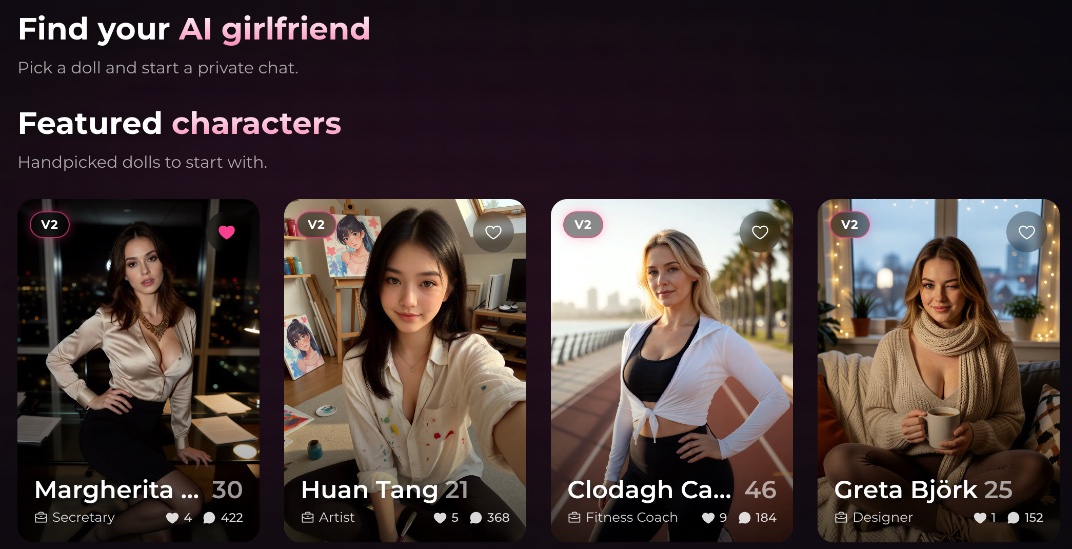
Browse the home page, filter by style or creator, and open a profile to see her photos and bio. When you find someone you like, start a chat.
{% endstep %}
{% step %}
### Say hello
She opens with a greeting that sets the scene. Reply however you like: she answers in your language and remembers what you tell her (see [Memory](/help/get-started/memory.md)).
{% endstep %}
{% endstepper %}
## Free messages
Every account can send **10 messages for free**, counted across all your chats. After that, buying any token pack unlocks unlimited chat. See [Tokens & payments](/help/get-started/tokens-and-payments.md).
## Next steps
* Make the chat yours with [Chat settings](/help/get-started/chat-settings.md): spice level, reply style and colors.
* Tell your companions who you are with a [Persona](/help/get-started/personas.md).
* Want someone who doesn't exist yet? Design her in the character creator.
---
# Agent Instructions
This documentation is published with GitBook. GitBook is the documentation platform designed so that both humans and AI agents can read, navigate, and reason over technical content effectively. Learn more at gitbook.com.
## Querying This Documentation
If you need additional information that is not directly available in this page, you can query the documentation by asking a question.
Perform an HTTP GET request on the following URL with the `ask` and `goal` query parameters:
```
GET https://dreamdolls.gitbook.io/help/get-started/quickstart.md?ask=&goal=
```
`ask` is the immediate question: it should be specific, self-contained, and written in natural language.
`goal` is what the user is ultimately trying to achieve, the reason they need the answer. Sharing it helps GitBook give you a better, more relevant answer. A goal is most helpful when it describes the outcome the user wants rather than restating the question. For example, with `ask=how do I create an API token`, a goal like `automate deployments from our CI pipeline` lets GitBook tailor the answer to that use case.
The response will contain a direct answer to the question and relevant excerpts and sources from the documentation.
Use this mechanism when the answer is not explicitly present in the current page, you need clarification or additional context, or you want to retrieve related documentation sections.