> For the complete documentation index, see [llms.txt](https://dreamdolls.gitbook.io/help/llms.txt). Markdown versions of documentation pages are available by appending `.md` to page URLs; this page is available as [Markdown](https://dreamdolls.gitbook.io/help/get-started/memory.md).
# Memory
How your companion remembers you, and how to view, edit, delete and share memories.
Your companion remembers what you tell her: your name, what you like, what happened at work. Those details come back naturally in later conversations, so she feels like she knows you.
## How memories are saved
Memories are saved automatically. Once a day we look at your new messages and pick out the details worth keeping. There's nothing to switch on and it doesn't cost tokens.
{% hint style="info" %}
She only remembers what you share in the chat. Nothing is pulled from anywhere else.
{% endhint %}
Each chat keeps the most important details and lets the least important ones go over time, so the memory stays focused.
### Categories
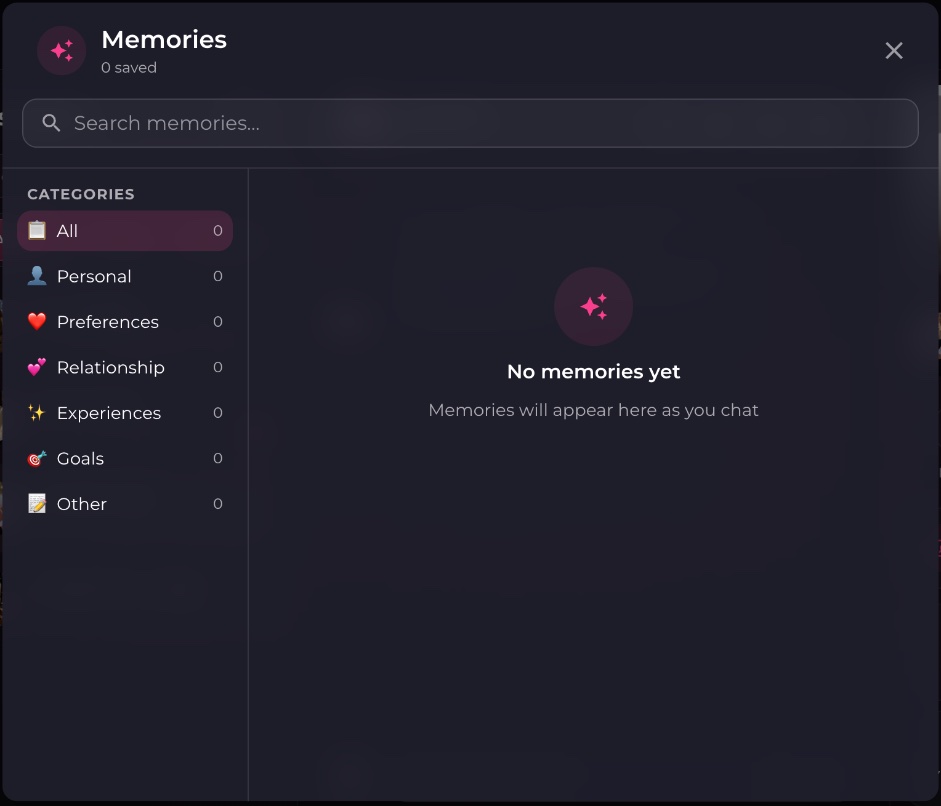
Every memory gets one category: **Personal**, **Preferences**, **Relationship**, **Experiences**, **Goals** or **Other**.
## Viewing and managing memories
{% stepper %}
{% step %}
### Open Memories
In a chat, click **Memories** in the header or **View memories** in her profile panel.
{% endstep %}
{% step %}
### Find a memory
Search by text, or filter by category on the left.
{% endstep %}
{% step %}
### Edit or delete it
Click **Edit** to correct a detail, or **Delete** to remove it. Deleting is permanent.
{% endstep %}
{% endstepper %}
## Memory groups
By default each chat has its own memories. A **memory group** lets several chats share them: what she learns in one chat carries over to every other chat in the group.
To use one, open **Chat settings** (or the new-chat window), go to **Memory**, choose **Specific memory group** and pick a group or click **New memory group**. Group names can be up to 50 characters.
{% hint style="info" %}
Resetting a chat starts a new conversation. If that chat used **Just this chat**, the new one starts without the old memories. Use a memory group if you want them to carry over.
{% endhint %}
---
# Agent Instructions
This documentation is published with GitBook. GitBook is the documentation platform designed so that both humans and AI agents can read, navigate, and reason over technical content effectively. Learn more at gitbook.com.
## Querying This Documentation
If you need additional information that is not directly available in this page, you can query the documentation by asking a question.
Perform an HTTP GET request on the following URL with the `ask` and `goal` query parameters:
```
GET https://dreamdolls.gitbook.io/help/get-started/memory.md?ask=&goal=
```
`ask` is the immediate question: it should be specific, self-contained, and written in natural language.
`goal` is what the user is ultimately trying to achieve, the reason they need the answer. Sharing it helps GitBook give you a better, more relevant answer. A goal is most helpful when it describes the outcome the user wants rather than restating the question. For example, with `ask=how do I create an API token`, a goal like `automate deployments from our CI pipeline` lets GitBook tailor the answer to that use case.
The response will contain a direct answer to the question and relevant excerpts and sources from the documentation.
Use this mechanism when the answer is not explicitly present in the current page, you need clarification or additional context, or you want to retrieve related documentation sections.